




How Cybersecurity Evolved From Simple Passwords to Advanced Systems
Think about the first time you ever made a password. Maybe it was “password123” or your dog’s name plus the year you were born. That worked fine in 1995. Today, the same password would be cracked in seconds, and you would probably get a angry red warning from your browser. What changed? Everything. In just three decades we went from “just pick any word you can remember” to systems that watch how you type, scan your fingerprint, check your phone location, and silently block millions of attacks before you even wake up. This blog post walks you through that journey in plain language: from the very first passwords in the 1960s to the invisible, AI-powered shields we rely on in 2025. Even if you are not a tech expert, you will finish this article understanding why your online life is safer than ever, and why it still needs constant improvement.
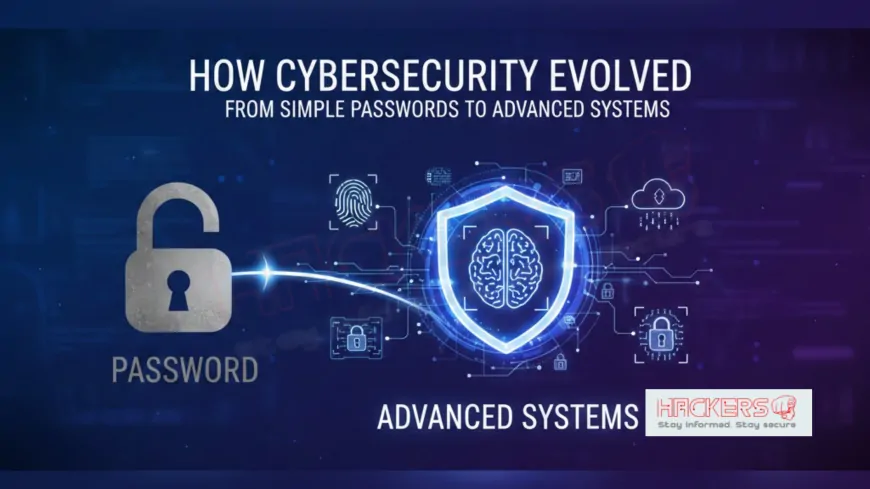
Table of Contents
- 1960s–1970s: The Birth of the Password
- 1980s: Viruses Force the First Real Defenses
- 1990s: The Web Arrives and Everything Gets Riskier
- 2000s: Firewalls, Antivirus, and Phishing Wars
- 2010s: Two-Factor, Mobile, and Cloud Security
- 2020s–Today: Zero Trust, AI, and Passwordless Future
- Timeline of Cybersecurity Evolution
- Conclusion
- Frequently Asked Questions
1960s–1970s: The Birth of the Password
The very first computer password appeared in 1961 on the CTSS system at MIT. It was just a simple text file where each user had one line with their secret word. If someone guessed it, they got in. There were no rules about length or special characters. Security was mostly physical: lock the door to the computer room and you were safe. By the 1970s, Unix systems stored passwords encrypted (scrambled) with a basic algorithm called DES. Still, many people used “123456” or their spouse’s name.
1980s: Viruses Force the First Real Defenses
- 1986 – Brain and Jerusalem viruses spread on floppy disks
- 1987 – First commercial antivirus (McAfee, Norton)
- 1988 – Morris Worm proves networks can be attacked remotely
Passwords suddenly were not enough. Companies started adding “lockout after 3 wrong tries” and forcing password changes every few months.
1990s: The Web Arrives and Everything Gets Riskier
1995–2000 brought the dot-com boom. Banks, shops, and newspapers went online. Attackers followed:
- Phishing emails appeared (fake bank sites)
- SSL encryption (the little padlock) was invented in 1995
- Firewalls became standard in companies
- Home users finally got antivirus that updated itself
2000s: Firewalls, Antivirus, and Phishing Wars
- 2001 – Code Red and Nimda worms infect millions in hours
- 2004 – Gmail introduces free HTTPS everywhere
- 2005 – First hardware security keys (YubiKey)
- 2008 – Bitcoin whitepaper starts interest in cryptography
Passwords grew longer and were required to have letters, numbers, and symbols. Password managers started appearing.
2010s: Two-Factor, Mobile, and Cloud Security
The smartphone changed everything:
- 2011 – Google offers SMS two-factor authentication
- 2013 – Apple adds Touch ID fingerprint
- 2015 – Microsoft and Google push authenticator apps
- 2017 – Equifax breach (147 million records) proves passwords alone fail
- 2019 – FIDO2 standard makes passwordless login possible
Companies adopted “zero trust” – never trust, always verify.
2020s–Today: Zero Trust, AI, and Passwordless Future
Now security is mostly invisible:
- AI detects strange login locations in milliseconds
- Passkeys (cryptographic keys stored on your phone) replace passwords
- Endpoint detection systems watch every click
- Quantum-safe encryption is being rolled out
- Biometrics (face, voice, typing rhythm) are common
Timeline of Cybersecurity Evolution
| Era | Main Protection | Biggest Threat |
|---|---|---|
| 1960s–1970s | Simple password + physical lock | Someone walking in the room |
| 1980s | Antivirus + password rules | Floppy disk viruses |
| 1990s | SSL + firewalls | Phishing & web exploits |
| 2000s | Strong passwords + antivirus updates | Worms & spyware |
| 2010s | 2FA + mobile biometrics | Mass data breaches |
| 2020s | Zero trust + AI + passkeys | AI attacks & ransomware gangs |
Conclusion
Cybersecurity did not evolve because people love complicated logins. It evolved because attackers kept winning with simple tricks. Every time we added a new layer (longer passwords, antivirus, two-factor, biometrics), attackers found a way around it. So we added another layer. Today’s systems are safer than ever, not because any single technology is perfect, but because dozens of defenses work together, silently, every second. The password you created in the 1990s is still there somewhere in the chain, but it is now protected by encryption, monitoring, biometrics, and artificial intelligence. The journey from “password123” to “tap your phone and you’re in” took only sixty years, and it shows no sign of slowing down. The good news? You do not need to understand quantum cryptography to stay safe. You just need to let the modern systems do their job and keep your software updated.
When was the first computer password created?
1961 on the CTSS system at MIT.
Why were early passwords so short?
Computer memory was tiny and expensive.
What was the first antivirus for home users?
McAfee VirusScan and Norton AntiVirus around 1987–1990.
When did HTTPS become common?
Mid-2000s, led by Gmail and banking sites.
What does SSL/TLS do?
It encrypts data between your browser and the website so nobody can eavesdrop.
When did two-factor authentication start?
Early 2000s for banks; Google made it popular in 2011.
What is a passkey?
A cryptographic key stored on your phone or computer that replaces passwords.
Why do experts say “passwords are dead”?
Because they can be stolen, guessed, or phished; passkeys and biometrics are harder to steal.
What is zero trust security?
Never automatically trust anyone, even inside the network; always verify.
When did fingerprint login become normal?
2013 with iPhone 5S started the trend.
Do I still need antivirus in 2025?
Yes, but modern Windows and macOS include good built-in protection.
What is the biggest change in the 2020s?
AI watching for attacks in real time and passkeys replacing passwords.
Why do banks use SMS codes?
They are easy, but authenticator apps and hardware keys are much safer.
What was the Morris Worm?
1988 internet worm that made everyone realize networks needed firewalls.
Is biometrics 100% safe?
No, but it is much harder to steal than a password.
What is a password manager?
A secure app that remembers strong, unique passwords for every site.
Why do websites force password changes?
Old habit; most experts now say it makes passwords weaker.
What is phishing?
Tricking you into giving your password on a fake website.
Will we ever be 100% secure?
No, but we can make attacks so expensive and difficult that most criminals move on.
What should I do today to stay safe?
Use a password manager, turn on two-factor everywhere, keep software updated, and never click suspicious links.
What's Your Reaction?