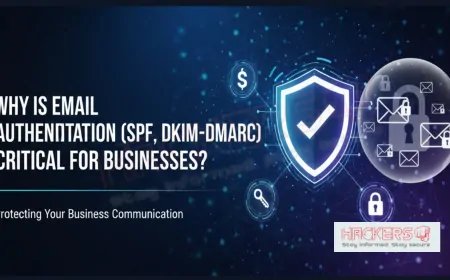












Why Is Email Authentication (SPF, DKIM, DMARC) Critical for Businesses?
Last year a medium-sized U.S. company lost $1.2 million in one afternoon. A hacker sent an email that looked exactly like it came from the CEO. The message asked the finance team to urgently wire money to a new vendor. They did. The money vanished in minutes. The scary part? The email did not come from a hacked employee account. It came from nowhere. The attacker simply pretended to be the company, and nothing stopped him. This kind of attack is called email spoofing, and it happens thousands of times every day. The only reliable way to stop it is proper email authentication using three simple technologies: SPF, DKIM, and DMARC. If your business sends email (and every business does), these three settings in your domain are no longer optional. They are essential insurance. In this beginner-friendly guide we will explain what each one does, why they matter, and how to set them up without needing a PhD in IT.
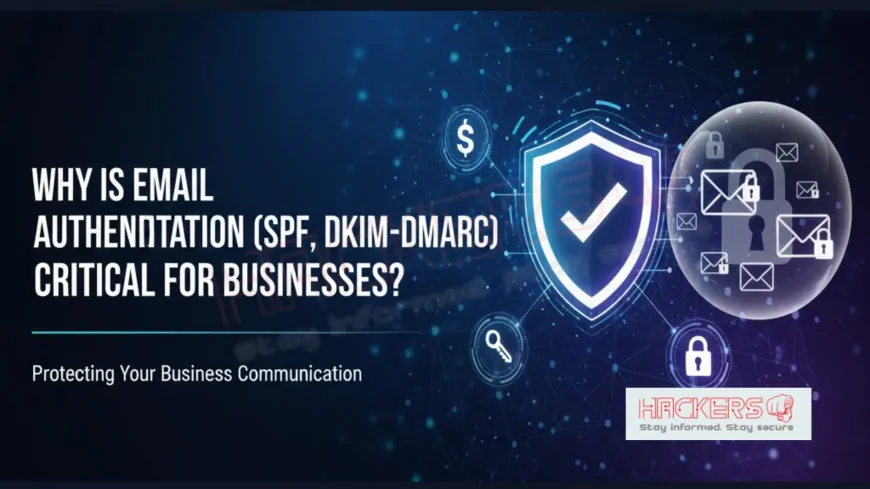
Table of Contents
- What Is Email Spoofing and Why Is It Works So Easily
- The Three Pillars: SPF, DKIM, and DMARC Explained
- How the Three Technologies Work Together
- What Happens If You Ignore Email Authentication
- Real Benefits for Your Business
- Authentication Status of Big Companies (2025)
- Step-by-Step Setup Guide (No Jargon)
- Conclusion
What Is Email Spoofing and Why Is It So Easy?
Email was invented in the 1970s when almost nobody was malicious. The system trusts whatever address you put in the “From” field. That means anyone on the planet can send an email that appears to come from [email protected] without owning that address. It is like putting any return address you want on a paper letter and dropping it in a mailbox. No ID check.
The Three Pillars: SPF, DKIM, and DMARC Explained
- SPF (Sender Policy Framework): A simple list in your domain’s DNS that says exactly which servers are allowed to send email for your domain. If an email comes from a server not on the list, it fails SPF.
- DKIM (DomainKeys Identified Mail): A digital signature added to every email. Receiving servers can verify the signature matches your domain using a public key published in DNS. If someone changes even one character of the email, the signature breaks.
- DMARC (Domain-based Message Authentication, Reporting, and Conformance): The boss. It tells receiving servers what to do when SPF or DKIM fails (quarantine or reject) and sends you reports about who is trying to spoof you.
How the Three Technologies Work Together
Think of it like a high-security building:
- SPF = the official guest list at the door
- DKIM = a tamper-proof ID card that proves the guest is real
- DMARC = the security policy that says “if either check fails, do not let them in and tell me about it”
| Technology | What It Checks | What Happens on Failure | Setup Difficulty (1-5) |
|---|---|---|---|
| SPF | Is the sending server authorized? | Can be ignored without DMARC | 2/5 |
| DKIM | Was the email content altered? | Can be ignored without DMARC | 3/5 |
| DMARC | Enforces policy and gives reports | Reject or quarantine spoofed mail | 1/5 (just one DNS record) |
What Happens If You Ignore Email Authentication
- Your emails land in spam (or get blocked completely) → lost sales and customers
- Attackers spoof your domain to scam your customers and partners → reputation damage and lawsuits
- Business email compromise (BEC) attacks succeed → average loss $120,000+ per incident
- Google and Microsoft now reject unauthenticated bulk email (February 2024 rules)
Real Benefits for Your Business
- Almost eliminates CEO fraud and supplier invoice scams
- Improves email delivery rates (especially for marketing and transactional emails)
- Gives visibility into who is sending email on your behalf
- Meets compliance requirements (SOC 2, ISO 27001, HIPAA, GDPR)
- Protects your brand reputation
- Free and takes less than an hour to set up properly
Authentication Status of Big Companies (2025)
| Company | SPF | DKIM | DMARC Policy |
|---|---|---|---|
| Yes | Yes | Reject | |
| Microsoft | Yes | Yes | Reject |
| Amazon | Yes | Yes | Reject |
| Average Fortune 500 | 98% | 95% | 87% reject |
| Small/Medium Businesses | ~45% | ~38% | ~12% reject |
Step-by-Step Setup Guide (No Jargon)
- Log into your domain registrar or DNS provider
- Add a TXT record for SPF (example: v=spf1 include:_spf.google.com ~all)
- Add a TXT record for DKIM (your email provider gives you the exact value)
- Add a TXT record for DMARC starting with v=DMARC1; p=none; rua=mailto:[email protected]
- Wait 24-48 hours, then slowly change p=none to p=quarantine and finally p=reject
- Use free tools like dmarcian.com, mxtoolbox.com, or valimail.com to check everything works
Conclusion
Email authentication is like locking your front door. It seems basic, yet millions of businesses still leave it wide open. SPF, DKIM, and DMARC cost nothing to implement, take less than an hour, and stop the vast majority of spoofing and phishing attacks that use your domain.
In 2025 Google, Microsoft, and most large providers already reject unauthenticated mail. If you have not set up proper authentication yet, you are not only risking fraud; you are risking your emails never reaching customers at all.
Do it today. Your reputation, your money, and your customers’ trust depend on it.
What does SPF stand for?
Sender Policy Framework. It is a DNS record that lists which servers can send email for your domain.
Do I need all three (SPF, DKIM, DMARC)?
Yes. SPF and DKIM are the checks, DMARC is the enforcement policy.
Will this break my current email?
No. Start with p=none in DMARC to monitor only, then gradually tighten.
How long does it take to set up?
Usually 30-60 minutes if you follow your email provider’s guide.
Is it free?
Completely free. Only DNS changes are needed.
My company uses Microsoft 365. Do I still need to do this?
Microsoft sets up SPF and DKIM automatically, but you must add the DMARC record yourself.
We use Google Workspace. Same question.
Google sets up SPF and DKIM, but you still need to add your own DMARC record.
Can customers see if I have DMARC?
Yes. Tools like mxtoolbox.com show your settings publicly.
Will DMARC stop all phishing?
It stops spoofing of your domain. It does not stop phishing from Gmail/Yahoo addresses.
What does p=none, p=quarantine, p=reject mean?
p=none = monitor only, p=quarantine = send to spam, p=reject = block completely.
Do I need a special tool or consultant?
Most small businesses can do it themselves. Larger ones may want help to avoid mistakes.
Will this improve my email delivery rates?
Yes, dramatically. Gmail and Outlook prioritize authenticated mail.
Can attackers bypass DMARC?
Very difficult if you use p=reject and correct alignment.
What if I use multiple email services (Mailchimp, Hubspot, etc.)?
Include all of them in your SPF record using “include:” statements.
Do subdomains need their own DMARC?
Yes. Always add a separate record or use wildcard.
Can I monitor who is spoofing me?
Yes. Add a rua= address in your DMARC record to receive free reports.
Is DMARC required by law?
Not yet, but many insurance companies and partners now require it for contracts.
What happens if I do nothing?
Your emails may go to spam, and attackers can impersonate you freely.
Can I test my settings?
Yes. Use dmarcian.com, valimail.com, or mxtoolbox.com – all free.
Is it worth the effort?
Absolutely. It is the single highest-ROI security control most businesses can implement.
What's Your Reaction?