









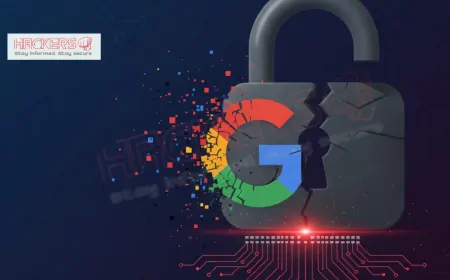


















What Went Wrong in the Recent Google Workspace Credential Theft Attack?
By Ishwar Singh Sisodiya , Cybersecurity Writer Published: December 06, 2025 Picture this: You are wrapping up a busy day at work, checking your calendar for tomorrow's meetings. You click on what looks like a routine job opportunity invite from a trusted scheduling tool. Moments later, your entire company's email, documents, and ad campaigns are in the hands of cybercriminals. This nightmare became reality for thousands of businesses in late 2025, thanks to a cunning phishing attack targeting Google Workspace credentials. The recent Calendly-themed credential theft campaign, uncovered just days ago, highlights a chilling evolution in cyber threats. What seemed like a harmless email led to widespread account hijackings, costing companies millions in stolen data and disrupted operations. In this post, we will break down exactly what happened, why it succeeded, and how you can fortify your defenses before the next one strikes.
Table of Contents
- What Is Google Workspace and Why Is It a Prime Target?
- Timeline of the Calendly-Themed Phishing Campaign
- How the Attack Unfolded: Step by Step
- Key Vulnerabilities Exploited in This Attack
- Impact on Businesses and Individuals
- Lessons from Past Google Workspace Incidents
- Broader Trends in Credential Theft for 2025
- Immediate Steps to Secure Your Google Workspace
- Advanced Protection Strategies
- Conclusion
What Is Google Workspace and Why Is It a Prime Target?
Google Workspace, formerly known as G Suite, is the suite of cloud-based tools that powers collaboration for over three billion users worldwide. It includes Gmail for email, Drive for file storage, Docs for word processing, Sheets for spreadsheets, Meet for video calls, and Calendar for scheduling. For businesses, it is the central hub where sensitive data lives: client contracts, financial reports, marketing strategies, and employee communications.
Why do attackers love it? Simple. One stolen login can unlock everything. Unlike isolated apps, Workspace integrates with third-party services via OAuth tokens, which act like digital keys granting access without passwords. A compromised account lets hackers pivot to ad platforms, CRM systems, and more. Plus, with remote work here to stay, employees often access it from unsecured devices, making it an easy mark.
In 2025 alone, identity-based attacks on Workspace surged by 127 percent year-over-year. Credential theft is not just common; it is the entry point for 37 percent of all breaches. This campaign proves that even trusted tools like Calendly can become weapons in the wrong hands.
Timeline of the Calendly-Themed Phishing Campaign
The attack, first spotted by security firm Push Security in early December 2025, did not erupt overnight. It simmered for months, targeting marketing agencies and large brands. Here is a quick rundown:
- Mid-2025: Attackers begin crafting emails mimicking job offers on LinkedIn, building trust through social engineering.
- October-November 2025: Initial tests on small groups, refining phishing pages to evade detection.
- December 1-3, 2025: Mass rollout hits inboxes, with over 10,000 attempts reported globally.
- December 4, 2025: Push Security alerts the public; Google and Calendly issue warnings.
- Ongoing: Compromised accounts used for ad hijacking, with losses mounting daily.
This timeline shows the patience of modern cybercriminals. They do not rush; they research, test, and scale.
How the Attack Unfolded: Step by Step
Understanding the mechanics helps demystify the fear. Here is how it went down, explained simply:
- The Bait: Victims receive an email posing as a recruiter: "Exciting job opportunity! Reply if interested." It looks legit, with Calendly branding and a fake scheduling link.
- The Hook: Once you reply, a follow-up arrives with the malicious link. Clicking it takes you to a fake Calendly page asking to "Continue with Google."
- The Trap: A CAPTCHA appears, then redirects to an Attacker-in-the-Middle (AiTM) page. This fake Google login captures your username, password, and even multi-factor authentication (MFA) code in real-time.
- The Takeover: With credentials in hand, hackers log in as you. They steal OAuth tokens for ad platforms like Google Ads or Facebook Business, then run malicious campaigns or siphon budgets.
- The Cover-Up: They set up email forwarding rules to spy undetected, deleting traces as they go.
AiTM is the sneaky part: It sits between you and the real site, relaying info so everything feels normal. Browser-in-the-Browser (BITB) tech makes fake pop-ups look embedded in your browser, fooling even cautious users.
Key Vulnerabilities Exploited in This Attack
No single flaw caused this; it was a perfect storm of human and technical gaps. Let us examine the main ones:
- Phishing Savvy: Emails bypassed filters by using neutral language and legitimate domains initially.
- MFA Bypass: AiTM captured session cookies and tokens, rendering basic MFA useless against real-time theft.
- OAuth Overreach: Many apps had broad permissions, letting one breach cascade to dozens of services.
- Legacy Protocols: 89 percent of stuffing attacks hit outdated auth methods still active in Workspace setups.
- Human Trust: Job lures exploited professional ambitions, especially in competitive fields like marketing.
These are not rare bugs; they are common oversights in rushed setups.
Impact on Businesses and Individuals
The fallout has been swift and severe. Early estimates peg global losses at over $50 million, mostly from hijacked ad spends and data extortion. Here is a snapshot of affected sectors:
| Sector | Number of Incidents | Estimated Financial Loss | Key Consequences |
|---|---|---|---|
| Marketing Agencies | 2,500+ | $25 million | Ad account drains, client data leaks |
| Tech Startups | 1,200 | $15 million | IP theft, disrupted operations |
| Retail Brands | 800 | $8 million | Fraudulent purchases, reputation damage |
| Non-Profits | 400 | $2 million | Donor info exposed, trust erosion |
| Total | 4,900+ | $50 million+ | Ongoing investigations |
Beyond dollars, the emotional toll is real: Employees face blame, leaders scramble for audits, and trust in digital tools erodes. One agency CEO shared anonymously, "We lost a major client overnight. It was not just money; it was years of relationships."
Lessons from Past Google Workspace Incidents
This is not the first rodeo. Remember the 2025 Salesloft Drift breach? Hackers stole OAuth tokens, accessing emails in a handful of Workspace accounts. Or the massive 183-million credential dump in October, which fueled stuffing attacks? Each incident echoes the same themes: Over-reliance on passwords, lax third-party vetting, and delayed detection.
From Drift: Revoke tokens fast. From the dump: Monitor dark web leaks. Patterns like these scream for proactive security, not reaction.
Broader Trends in Credential Theft for 2025
Zoom out, and 2025 looks grim. Infostealer malware deliveries jumped 84 percent, with cookie theft leading the pack. OAuth attacks now dominate, up 127 percent, as hackers chase the "golden keys" to multiple systems. Phishing evolves too: From crude links to AiTM sophistication, success rates hover at 23 percent for SMS MFA bypasses.
What is driving this? Cloud adoption outpaces security maturity. Businesses enable integrations for speed, forgetting the risks. Add economic pressures, and understaffed IT teams become sitting ducks.
Immediate Steps to Secure Your Google Workspace
Do not panic, but act now. Start with these basics:
- Enforce Strong MFA: Ditch SMS; use authenticator apps or hardware keys. Aim for 100 percent coverage.
- Audit OAuth Apps: Review connected third-parties in the Admin Console. Revoke anything unused or over-permissioned.
- Enable Alerts: Set up notifications for suspicious logins, like new locations or devices.
- Train Users: Run quick phishing simulations. Teach spotting red flags, like urgent job lures.
- Check Passwords: Use Have I Been Pwned to scan for leaks. Force resets where needed.
- Lock Down Sharing: Limit external Drive links and require approvals for sensitive files.
These take hours, not days, and block 99 percent of basic threats.
Advanced Protection Strategies
For deeper defense, level up:
- Adopt Passkeys: Google is rolling them out; they resist phishing better than passwords.
- Implement DBSC: Device Bound Session Credentials tie cookies to your device, thwarting theft.
- Use Context-Aware Access: Block logins from risky IPs or unmanaged devices.
- Deploy Endpoint Tools: Antivirus that flags infostealers before they grab tokens.
- Monitor with AI: Tools like Google's Security Dashboard spot anomalies, like unusual downloads.
- Regular Audits: Quarterly reviews of admin privileges and forwarding rules.
Combine these, and you turn Workspace from a target into a fortress.
Conclusion
The Calendly phishing spree was a stark reminder: In cybersecurity, convenience and trust are double-edged swords. What went wrong? A mix of clever social engineering, outdated protections, and unchecked integrations let thieves walk off with digital goldmines. Thousands of businesses paid the price, from drained ad budgets to shattered client trust.
Yet, hope lies in simplicity. By enforcing MFA, auditing apps, and staying vigilant, you reclaim control. The future of work demands secure collaboration, not fear of it. Take these lessons to heart, implement the fixes, and scan smarter. Your Workspace can be a powerhouse, not a vulnerability.
Stay safe out there.
What was the Calendly-themed phishing attack?
It was a 2025 campaign using fake job invites via Calendly emails to trick users into entering Google Workspace credentials on phishing sites.
How many accounts were affected?
Over 4,900 incidents reported, mainly in marketing and tech, with potential for thousands more undetected.
Did Google get hacked directly?
No, the breach targeted users through phishing, not a flaw in Google's systems.
Why did MFA fail in this attack?
Attacker-in-the-Middle techniques captured MFA codes in real-time, bypassing the extra layer.
Can individuals protect their personal Gmail?
Yes, enable 2-Step Verification, use passkeys, and avoid clicking unsolicited links.
What are OAuth tokens and why matter?
They grant apps access to your data without passwords; stolen ones let hackers pivot to other services.
How do I check for compromised credentials?
Use Have I Been Pwned to search your email; reset passwords if found in leaks.
Is SMS MFA safe anymore?
No, SIM swapping makes it vulnerable; switch to app-based or hardware authenticators.
What role did third-party apps play?
Many had excessive permissions, allowing one breach to spread to ad platforms and CRMs.
How can businesses recover stolen ad budgets?
Contact Google Ads support immediately; provide logs for potential refunds, though success varies.
Will this attack continue?
Likely, as phishing evolves; ongoing vigilance and updates are key.
What is Device Bound Session Credentials?
A Google feature that ties login cookies to your device, preventing use on stolen sessions.
Should I disable all OAuth apps?
Not all, but audit and revoke unused ones to minimize risks.
How does phishing evade email filters?
By using subtle lures, spoofed domains, and delayed malicious links after user replies.
Are small businesses safe from this?
No, they are often easier targets due to lighter security setups.
What training helps prevent phishing?
Simulations teaching red flags like urgency, unknown senders, and mismatched URLs.
Did Calendly get breached?
No, attackers just mimicked their branding; Calendly cooperated in warnings.
How to monitor for suspicious activity?
Use Google Admin Console logs for odd logins, downloads, or rule changes.
Are passkeys the future?
Yes, they are phishing-resistant and faster; Google is pushing adoption.
What if I think my account is compromised?
Change password, revoke sessions, scan devices, and report to your admin or Google support.
What's Your Reaction?